How to Use Stopwatch in Windows

How to Use Stopwatch in Windows

Most of the time, people are having some troubles with using their own desktop clock as their stop watch. Windows improves on those features, and this basic function now works much like it does on every other operating system out there. The stopwatch is super simple to use. This stopwatch measures time intervals in hours. This … Read more

How to Open Files and Folders in Single Click on Windows

How to Open Files and Folders in Single Click on Windows

The default and most common method of opening a file or folder in Windows is, as you know, double-click the icon. If you’re tired of double-tapping your mouse or touchpad, you can change double-click or single-click to open files and folders in Windows. When you set Windows to work this way and hover the mouse pointer over … Read more

How To Repeat The Last Action In Excel or Word?

How To Repeat The Last Action In Excel or Word?

If you are using Microsoft Excel in your daily life, you can use excel shortcuts to save time. You may need to repeatedly do same operation while creating an Excel worksheet or word document . How To Repeat The Last Action In Excel? If you want to repeat action in Excel, like inserting a column/row, … Read more

How To Show Or Hide File Extensions In Windows 11 Version

How To Show Or Hide File Extensions In Windows 11 Version

Show or Hide File Name Extensions for Known File Types in Windows 11 File extensions usually are two, three, or more letters after a files name and a dot. Extensions for known file types are hidden by default in Windows 11. Like with other versions of Windows, Microsoft believes that it is in the users’ … Read more

Taskbar Buttons Switch to the Last Active Window

Taskbar Buttons Switch to the Last Active Window

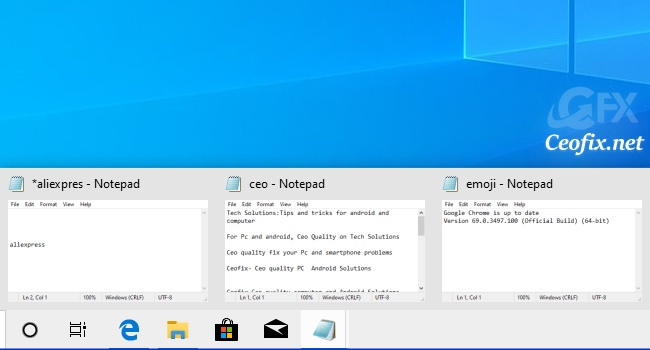
When Taskbar icons are set to “Combine,” which is the default setting, to switch windows within a Taskbar group, you need to click or hover your mouse pointer over the group icon and then click on the appropriate taskbar thumbnail image. If you’re routinely switching between apps with open windows, that can get a little … Read more

Set a Different Screen Refresh Rate in Windows

Set a Different Screen Refresh Rate in Windows

The refresh rate of your monitor refers to how many times per second the screen refreshes the image on it. It’s measured in hertz (Hz). Generally speaking, 60Hz is the minimum for a good quality and Using the correct monitor refresh rate can help to improve your viewing experience. If you’re a gamer, things are … Read more

Keep Magnifier mouse cursor in center of screen in Windows

Keep Magnifier mouse cursor in center of screen in Windows

Windows 10 is filled with accessibility tools. One of these tools is the magnifying glass.The Windows 10 Magnifier is an additional tool that allows you to enlarge text and images on the screen making the display easier to see. If you want to temporarily enlarge a portion of the screen in Windows 10, you can … Read more

Windows Calculator Gets a Built-in Graphing Mode

Windows Calculator Gets a Built-in Graphing Mode

Microsoft, introduces a Graphin Mode in Windows calculator app. The new update is available for users running Windows 10 version 2004 (May 2020 Update) or newer. Microsoft,  adding a Graphing Mode to Windows Calculator, an app included with all Windows 10 versions, hopes to provide students and teachers with a free tool to help schools … Read more

View Windows Command Line History

View Windows Command Line History

We all use the Windows Command Prompt, but there are quite a few very useful features you may not know about one being command history viewing. If you’re a frequent user of the Windows 10 Command Prompt, the “command history” feature allows you to view and quickly reuse recent command instead of having to retype … Read more