Skip to content
Ceofix.net

Computer and Android Solutions-Windows tips and tricks

  • Flipboard
  • Home Page
  • Windows
  • Software
  • Internet
  • Smartphones
  • Tips and Tricks
  • MAC
  • Archive
  • RGB-BGR-HSV Color Codes Chart

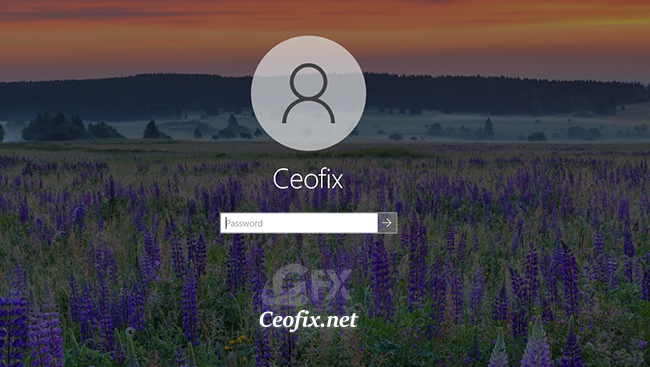
windows 10 login screenshot

The Easiest Way to Take The Login Screen Picture in Windows
4800 View August 2, 2024December 3, 2020 by Admin
The Easiest Way to Take The Login Screen Picture in Windows

The new Snip & Sketch tool is a replacement to Snipping Tool. Snip & Sketch allows you to capture screenshots, personalize them, and share with others. So how do you with this tool take the screenshot of Windows 10 login screen? ( You can watch the how to video which located at the end of … Read more

Categories Windows Tags capture lock screen, capture login screen, login screen capture, picture, Snip & Sketch tool, take lock screen, take login screen, take login screen picture, take screenshot, take screenshot of Windows 10 login screen, windows 10 login screen, windows 10 login screenshot Leave a comment

3450 View

How To Show Or Hide File Extensions In Windows 11 Version

How To Show Or Hide File Extensions In Windows 11 Version

21914 View

Enable Secure DNS (DOH) on Chrome Android

Enable Secure DNS (DOH) on Chrome Android

5653 View

How to Find Text in Notepad on Windows 10 And Windows 11

How to Find Text in Notepad on Windows 10 And Windows 11

Recent Comments

  • Admin on Disable Screen Capture And Recording With The Snipping Tool
  • Luca Tanganelli on Disable Screen Capture And Recording With The Snipping Tool
  • NedStar on How To Change Photoshop Splash Screen
  • Bryanvef on Enable or Disable Edge’s URL Copy And Paste Feature
  • novopet on Enable New Boot Animation in Windows 11

24531 View

How to Check Free Hard Drive Space in Windows

How to Check Free Hard Drive Space in Windows

2218 View

How to Move a Taskbar on Windows 10

How to Move a Taskbar on Windows 10

1316 View

Change The Task Manager Startup Page on Windows

Change The Task Manager Startup Page on Windows

49 queries in 0.485 seconds.
  • Disclaimer
  • About Us
  • Privacy Policy
  • Donate
  • Contact Us
© 2018-2026 Ceofix.net • All Rights Reserved.